
YeniKombini Tamamla: ürün sayfasında tamamlayıcı ürün önerileri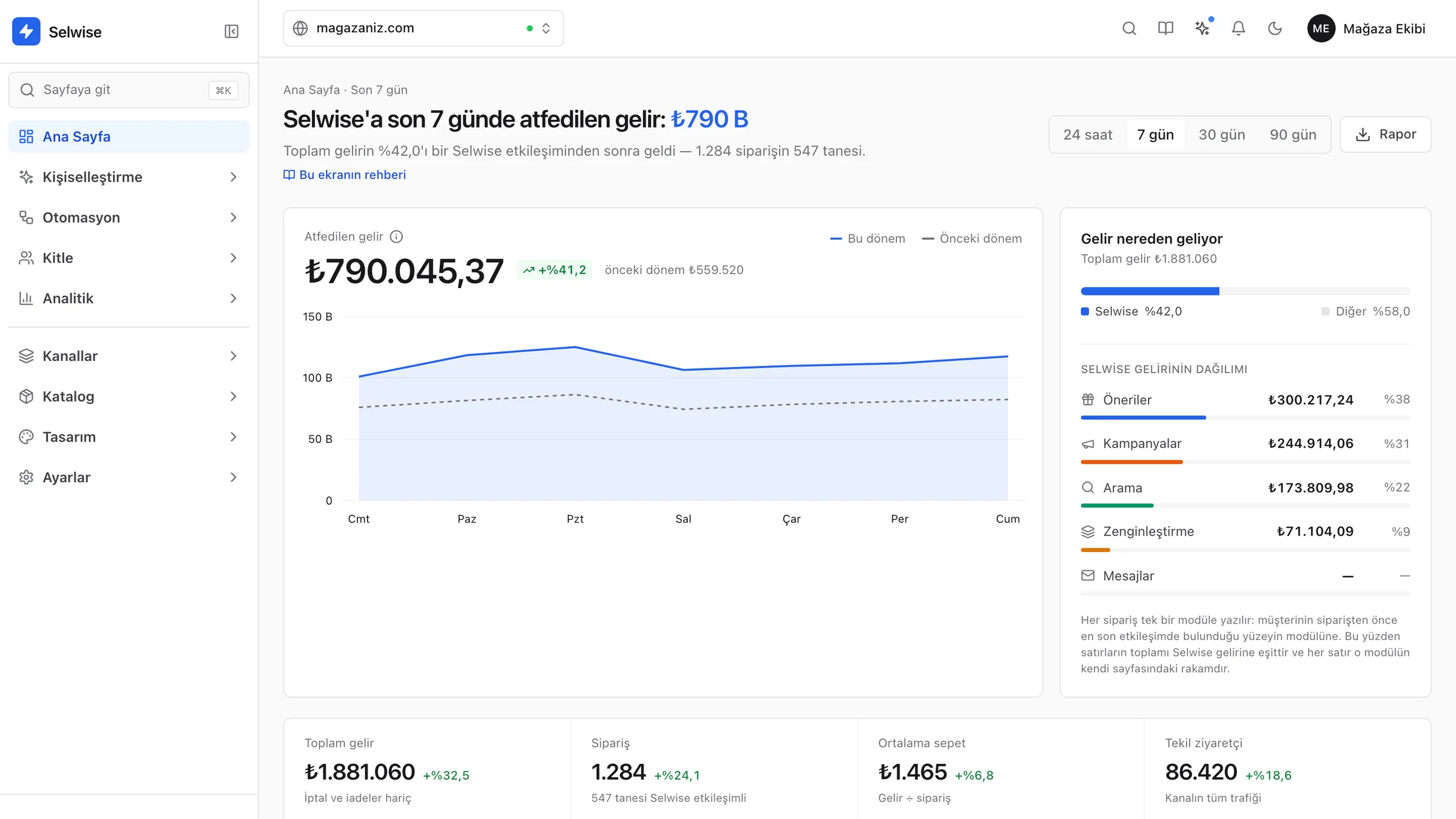
Her ziyaretçiye doğru ürünü, doğru anda gösterin.
Selwise mağazanızı ziyaretçi davranışına göre kişiselleştirir, kampanyayı ve senaryoyu yapay zekâyla hazırlar, her siparişin nereden geldiğini ölçer. Web sitenizde ve mobil uygulamanızda.
Mağazanıza özel demo · Modül bazlı paketler · Kurulumda teknik destekReferanslar
Selwise ile çalışan mağazalar.

Yapay zekâ
Anlatın, yapay zekâ hazırlasın.
Yapay zekâ ayrı bir araç değil: işin yapıldığı ekranda, markanızı bilerek çalışır. Ürettiği her şey taslaktır; siz kaydetmeden yayına girmez.
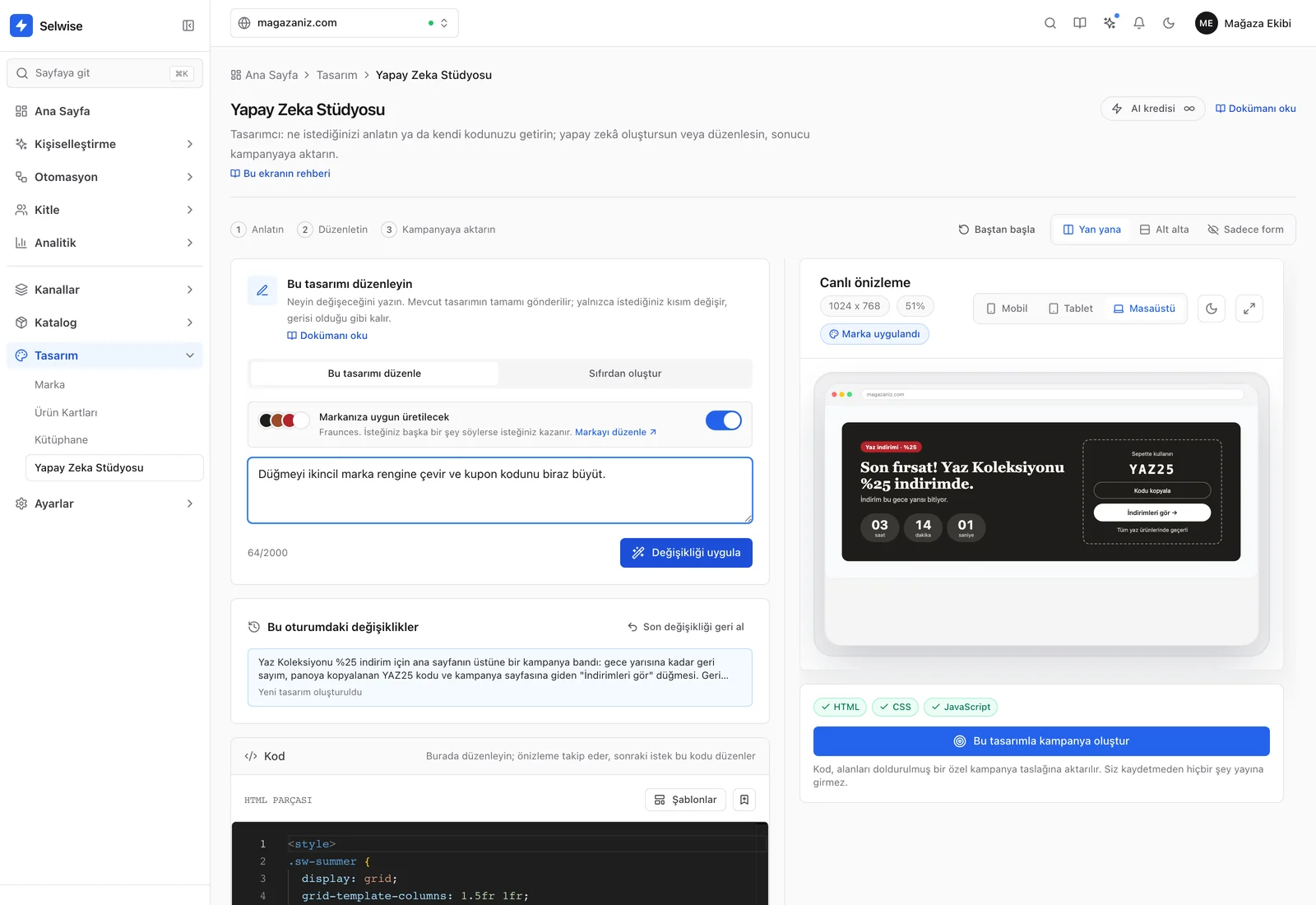
İstek“Düğmeyi ikincil marka rengine çevir ve kupon kodunu biraz büyüt.”
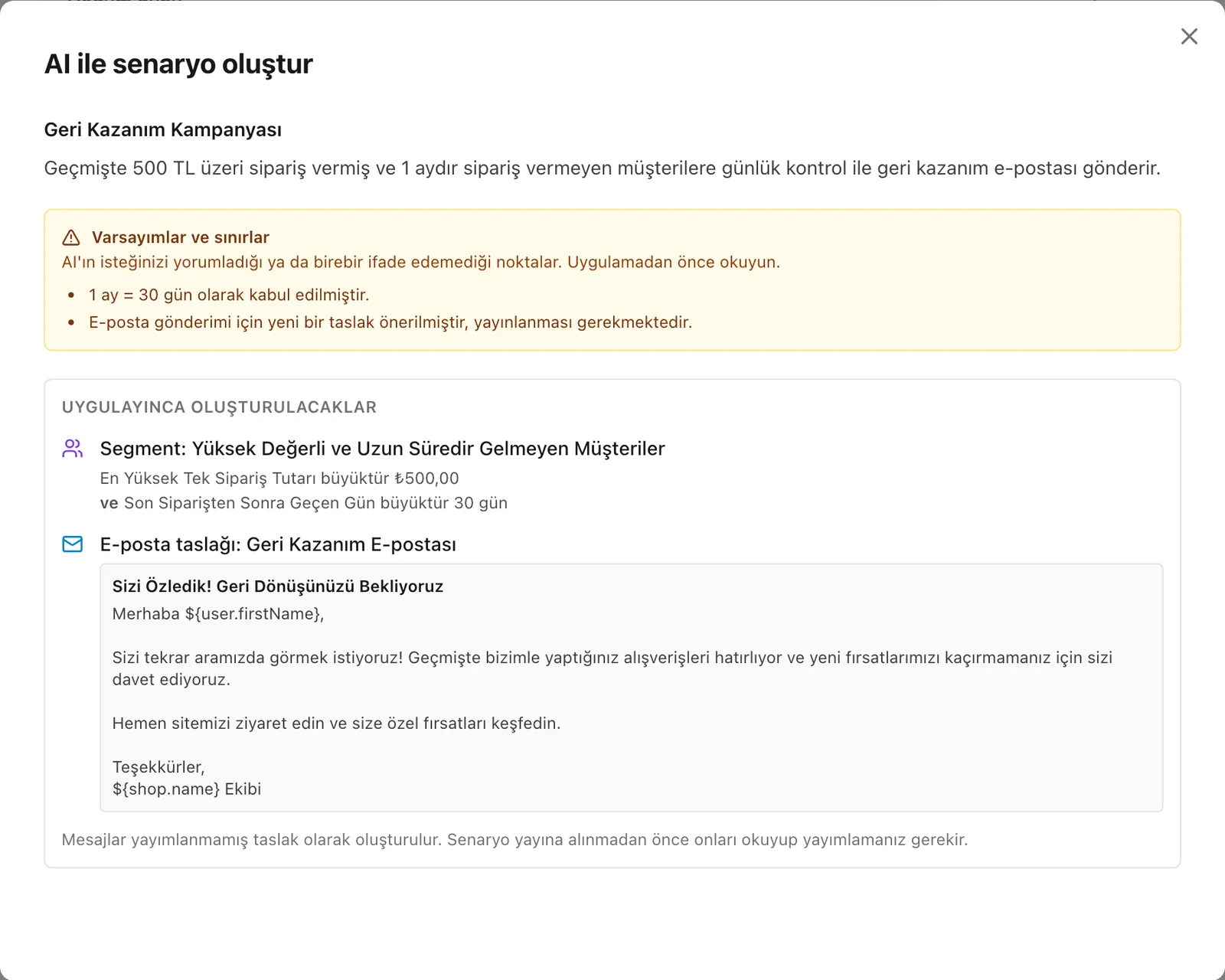
İstek“Geçmişte 500 TL üzeri sipariş vermiş ve 1 aydır sipariş vermeyen müşterileri bul, onlara geri kazanım e-postası gönder.”
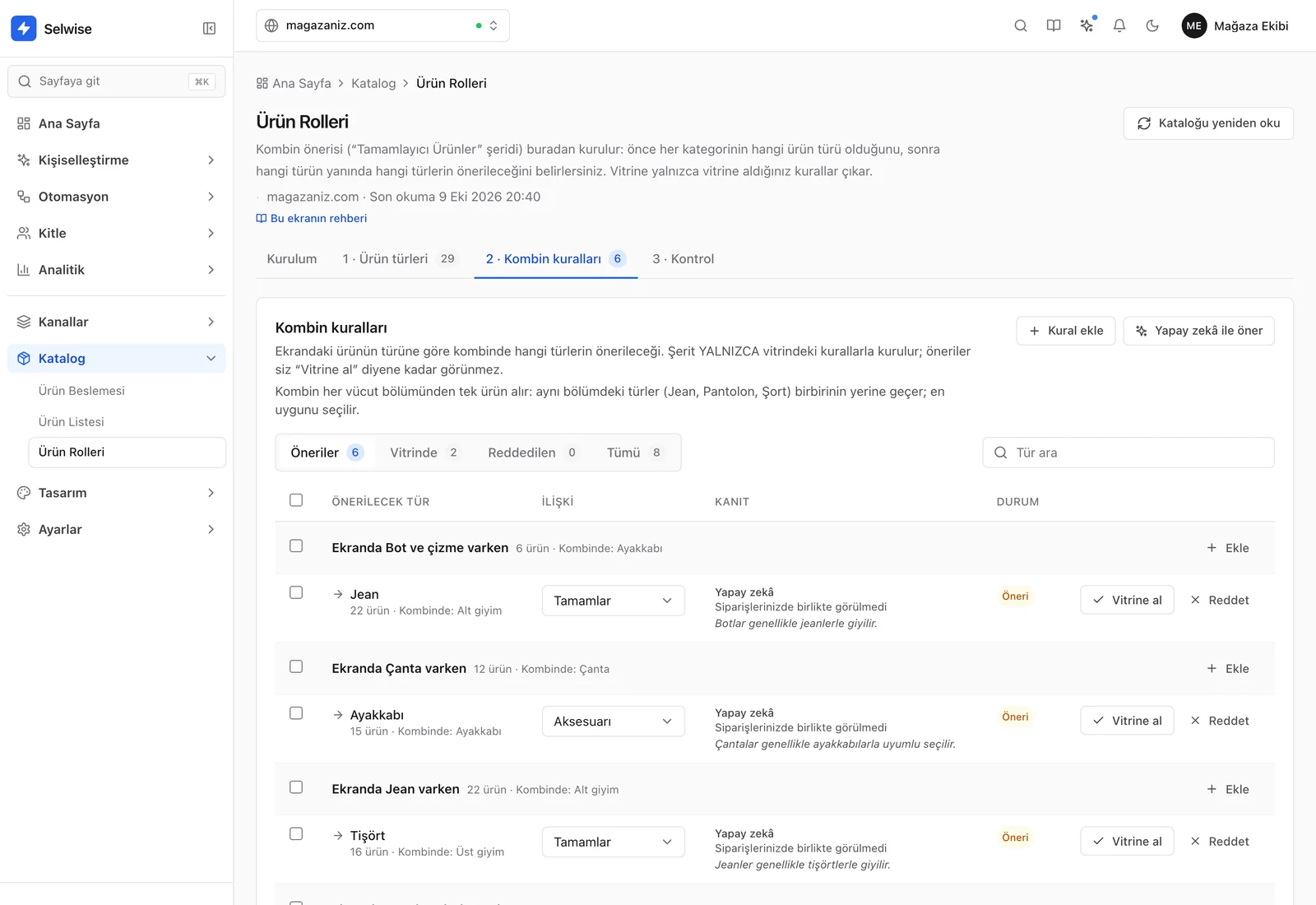
Aynı yardım şu ekranlarda da:Kampanya metinleriE-posta, SMS ve web pushÜrün kartı tasarımıÜrün sayfası bloklarıÖzel script
- Markanızla üretirTasarım ve metin üretimleri yayındaki markanızın renklerini, yazı tipini ve sesini kullanır.
- Yalnızca istediğinizi değiştirirMevcut içerik isteğinizle birlikte gider; dokunmadığınız kısım olduğu gibi kalır.
- Siz onaylamadan yayına girmezÜretilenler taslak olarak gelir; kaydetmeden önce görür, değiştirir ya da geri alırsınız.
Platform
Tüm özellikler →Kişiselleştirme için gereken her şey, tek panelde.
14 hazır kampanya türüDuyuru çubuğundan hedef çubuğuna, kod yazmadan. Hedefleme, takvim ve test modu her türde ortak.
Duyuru çubuğuModalGeri sayımHedef çubuğuSekme mesajı+9 tür
Gelir atfıHer sipariş en fazla bir yüzeye yazılır (aynı ziyarette tamamı, sonraki ziyarette tıklanan ürün); modül toplamları Selwise cirosuna eşittir.
₺790.045
- Öneriler %38
- Kampanyalar %31
- Arama %22
- Zenginleştirme %9
A/B testleriKazananı istatistiksel test söyler; örneklem ve en az 7 gün dolmadan sonuç ilan edilmez.
Kontrol%9,00
Sosyal Kanıt%10,60
KitlelerSipariş geçmişi, sepet durumu ve cihaz verisiyle kitleler kurun.
Geri dönen ziyaretçiSepette ürün varMobil+ Kural ekle
Eşleşen kişi sayısıkaydetmeden önce hesaplanır
Site içi aramaYazarken anında sonuç; eş anlamlılar, yönlendirmeler ve öne çıkarma kuralları sizde.
Eş anlamlı: t-shirtYönlendirme: iade → İade sayfası
Ürün önerileri13 hazır strateji; ürün sayfasında kombini tamamlayan, sepette kargoyu bedavaya taşıyan ürünler.
Çok satanlarBenzer ürünlerBirlikte alınanlarTamamlayıcı ürünlerKargo bedavaya tamamlaSon gezilenler+7 strateji
Kurulum
Birkaç adımda canlıya çıkın.
1
Tek satır ekleyinKanalınızı oluşturun; verilen satırı sitenize ekleyin ya da hazır platform entegrasyonunu kullanın.
<script async src="https://widget.selwise.com/client.js" data-site-key="SITE_KEY"></script>
2
Kataloğunuzu bağlayınXML, JSON ya da CSV ürün beslemesi; Google Merchant, Akinon ve IdeaSoft için hazır eşleştirme.
XMLJSONCSVGoogle Merchant
3
Markanızı tanımlayınRenk ve yazı tipini bir kez seçin; kampanya, öneri, arama ve yapay zekâ üretimleri bunu kullanır.
4
Test edin, yayına alınTest modunda önce yalnızca siz görürsünüz; hazır olunca herkese açar, sonucu ölçersiniz.
Test moduYayında
Canlı deneyin
Widget'ların nasıl göründüğünü şimdi deneyin.
Bir tür seçin, metni değiştirin; önizleme anında güncellenir. Panelde aynı widget'ı mağazanızın temasıyla kurarsınız.
Widget türü
magazaniz.comDuyuru çubuğu
Özel teklifİlk siparişinizde %20 indirimAlışverişe başla
14Hazır kampanya türü
13Öneri stratejisi
12Modül; ihtiyacınız olanları seçersiniz
6E-ticaret altyapısına hazır entegrasyon
Modül modül çözümler
Her modülün ne yaptığı, nasıl çalıştığı ve neyi ölçtüğü kendi sayfasında.
- Ürün önerileri →Ana sayfadan sepete beş yerde 13 strateji: çok satanlar, birlikte alınanlar, tamamlayıcı ürünler, ziyaretçinin ilgi alanı. Her şerit kendi katalogunuzda önizlenir.
- Site içi arama →Mağazanızın aramasının yerine geçer: yazarken ürün gösterir, yazım farklarını ve çekim eklerini tolere eder, sizin kurallarınızla yönetilir ve sonuçsuz aramaları size listeler.
- Site içi kampanyalar →Duyuru çubuğundan sepet hedef çubuğuna 14 kampanya tipi. Her biri aynı beş adımlı kurucuyla kurulur, segment ve davranışla hedeflenir, gösterim ve siparişle ölçülür.
- A/B testleri →Bir değişikliğin işe yarayıp yaramadığını aynı anda, aynı trafikte ölçün: Selwise yüzeyleri, mağazanızın kendi sayfası ya da iki ayrı sayfa adresi.
- Otomasyon senaryoları →Sepete ekledi ama almadı mı? Bir saat sonra, döndüğünde ona özel kampanyayı gösterin ya da kendi sağlayıcınızdan e-posta gönderin. Beş hazır şablonla başlayın.
- Ürün sayfası zenginleştirme →Beden tablosu, ürüne özel SSS, kumaş bakım talimatı, teknik özellik listesi: içerik yalnızca seçtiğiniz ürünlerde, sayfanın seçtiğiniz yerinde görünür.
- Ölçüm ve gelir atfı →Her siparişin tek bir sahibi vardır, ciro iadeler düşülerek sayılır ve “kazanılan” diye yalnızca kontrol grubuyla ölçülen artımlı ciro sunulur.
Rehberler
Öneri, arama, deney ve ölçüm üzerine uygulama rehberleri.
- Kombini Tamamla: Benzer Ürün Göstermek Neden Sepeti Büyütmez?Koşu ayakkabısına bakan müşteriye sekiz koşu ayakkabısı daha göstermek seçimi kolaylaştırır, sepeti büyütmez. Tamamlayıcı ürün önerisinin mantığı ve mağazanızda nasıl kurulacağı.
- Kişiselleştirme Ciroyu Gerçekten Artırıyor mu? Atfedilen Ciro ile Artımlı Ciro Arasındaki FarkPanelinizdeki 'bu ay öneriler 412.000 TL getirdi' rakamı yanlış değil, ama sorduğunuz sorunun cevabı da değil. Kontrol grubuyla gerçek etkiyi ölçmenin pratik rehberi.
- Sonuçsuz Arama Çözüm Playbook’u: Çıkmaz Sorguları Gelire ÇevirinSonuçsuz sorguları sınıflandırma, önceliklendirme ve deneylerle gelir etkisini doğrulama adımlarını içeren taktik playbook.
- E-Ticaret Ekipleri İçin A/B Testinde Örneklem Büyüklüğü ve İstatistiksel AnlamlılıkGüvenilir e-ticaret A/B testleri için örneklem büyüklüğü, anlamlılık eşiği ve karar disiplinini adım adım açıklayan rehber.
- Sepet Terkini Site İçi Kampanyalarla Geri Kazanma: Pratik ÇerçeveNiyet odaklı site içi kampanyalar, zamanlama kuralları ve holdout testleriyle sepet terki geri kazanımını yöneten pratik çerçeve.
- E-Ticaret Kişiselleştirme Platformu Seçimi: 50 Maddelik Değerlendirme Kontrol ListesiKişiselleştirme platformu seçimini etki, operasyon uyumu ve yönetişim gereksinimiyle değerlendiren satın alma odaklı kontrol listesi.
Selwise'ı kendi mağazanızda görün.
Mağazanıza özel bir demoda, hangi modüllerin işinize yarayacağını birlikte belirleyelim.